엣지 AI 영상 분석

고성능 센서들을 통합 분석하는
실시간 AiSentry EDGE

ECOS ITS에서 구동되며, 현장에 가장 가까운 곳에서 실시간 광학 분석, AI 추론, 센서 융합을 처리합니다.
여러 카메라를 서버 한 대에서 분석하려면 중앙 AI 영상 분석 서버(ECOS VAS)를 씁니다.
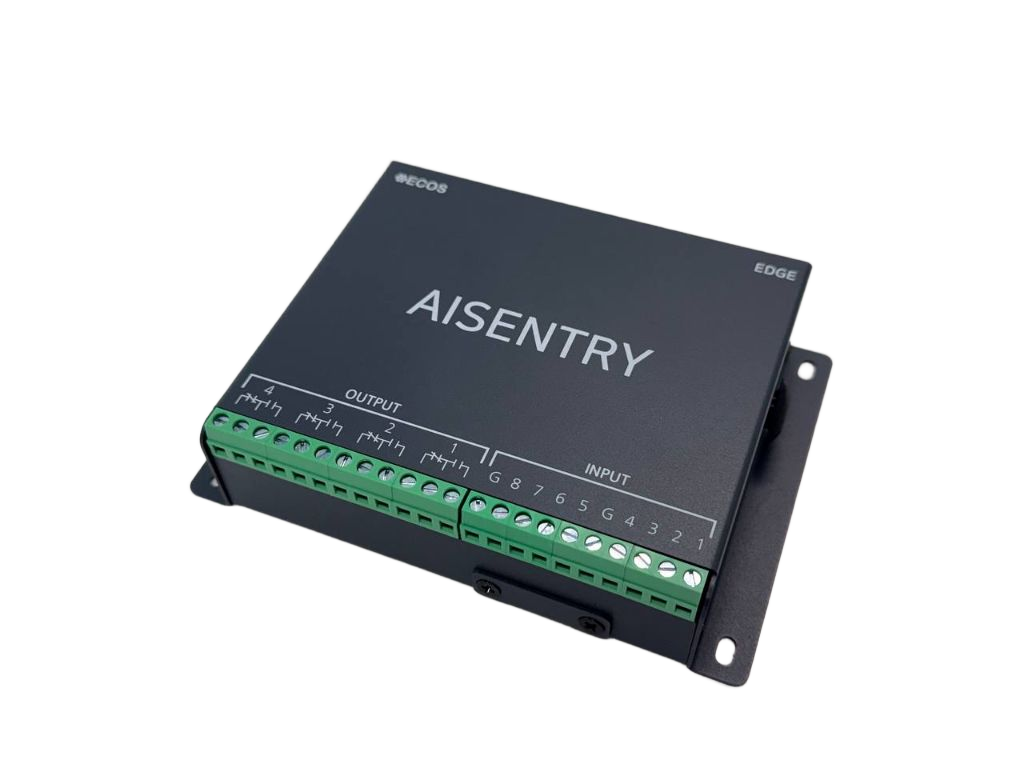
AiSentry Edge Intelligent Terminal Server - 현장 지능형 Edge 단말 하드웨어

카메라 & 센서를 위한 인텔리전트 엣지

  • ✓
    ROI 기반 감지 — 카메라별 다각형 영역 설정 후 감지·알림·녹화 등 수행
  • ✓
    존별로 서로 다른 정책을 적용하는 동일화면 다중존 기능을 지원합니다.
  • ✓
    즉시 광학 이벤트 감지 — 글레어(난반사), 블랙아웃, 훼손/가림, 급격한 조도 변화
  • ✓
    불안정한 네트워크 환경에서도 로컬 버퍼링 — 중요한 영상 누락 없는 안정적 기록
AiSentry Edge

현장에서 즉시 분석하는 지능형 Edge 단말

AiSentry Edge는 카메라 바로 옆 또는 현장 전기함/보안 박스 안에 설치되어 CCTV 1~4채널의 실시간 AI 분석과 센서 입력 처리를 수행합니다. NVR의 단점을 보완하며 "현장 필터링 지능" 역할을 수행합니다.

AiSentry EDGE · 현장 노드

카메라 & 센서를 위한 인텔리전트 엣지

Raspberry Pi, 산업용 SBC, ITS에서 동작하며, 현장에 가장 가까운 곳에서 실시간 광학 분석, AI 추론, 센서 융합을 처리합니다.

  • ✓
    이미 Edge와 최적화된 고차원기능의 센서들을 통합 분석합니다.
  • ✓
    존별로 서로 다른 정책을 적용하는 동일화면 다중존 기능을 지원합니다.
  • ✓
    자체 개발 API3.0 기반으로 다양한 플랫폼과 통합할 수 있습니다.
  • ✓
    네트워크 장애 시에도 로컬 버퍼에 저장해 이벤트 누락을 최소화합니다.
로컬 저장 & 처리

네트워크 장애 시에도 안전하게

Edge는 독립적으로도 동작 가능하며, 네트워크 장애 시 데이터 유실 없이 로컬 임시 저장 후 복구 전송합니다.

  • ✓
    이벤트 큐: 사람/차량 탐지 JSON, Optical metrics 값, 센서 트리거 로그 저장
  • ✓
    스냅샷 이미지: 1fps 감시 이미지, 이벤트 발생 순간 캡처, 카메라 이상 징후 이미지
  • ✓
    시스템 로그: CPU 온도/사용량, 카메라 연결 상태, 센서 입력 상태, 업로드 기록
  • ✓
    저장 정책: 이벤트 JSON은 전송 즉시 삭제, 스냅샷은 1~3일 보관, 로그는 7일 보관
주요 기능

Edge의 핵심 기능

AiSentry Edge는 현장에서 AI + Optical + Sensor 융합 분석을 수행하여 Zone 기반 보안 분석과 저비용·고정확도의 현장 전처리를 제공합니다.

🎯

Zone/ROI 기반 정밀 감시

카메라별 다각형 ROI를 설정하여 존(Zone) 단위의 정밀 감시를 수행합니다. 존별로 서로 다른 AI 모델·정책을 적용하는 모델 라우팅을 지원합니다.

🔍

Optical Metrics 엔진

brightness/contrast 변화, IR on/off 검출, Blur/shake 검출, pHash64 기반 프레임 변화량, Freeze/Stuck Frame 탐지로 AI가 놓칠 수 있는 장면 변화를 물리적으로 감지합니다.

🛡️

False Alarm Filtering

해당 CAMERA 만의 교육된 AI 모델 추론 후 오탐 필터링으로 의미 있는 이벤트만 골라냅니다. 센서 이벤트와 영상 이벤트를 함께 보면서 오탐을 줄이고, 진짜 위험만 골라냅니다.

💾

네트워크 장애 대응

네트워크 장애 시에도 로컬 버퍼에 저장해 이벤트 누락을 최소화합니다. 복구되면 누락 데이터를 자동 재전송하는 Hybrid Auto-Failover 모드를 지원합니다.

⚙️

Edge UI 기능

IP 주소 설정, 시간 동기화, 카메라 추가/삭제, 센서 매핑 설정, Zone 편집, AI 모델 선택, 스케줄 설정, Edge 상태 확인 등 웹 인터페이스로 관리합니다.

🔄

운영 모드

Edge 단독 모니터링 모드, IMS 연동 중앙관제 모드, Hybrid Auto-Failover 등 다양한 운영 모드를 지원합니다.

하드웨어 구성

Edge 하드웨어 사양

산업용 SBC, ITS에서 동작하며, 현장 환경에 맞는 다양한 형태로 설치 가능합니다.

기본 사양

표준 하드웨어 프로파일

ARM Cortex-A53/A72 또는 x86-64 기반 시스템에서 동작하며, Ubuntu/Debian/ITS 기반 OS를 사용합니다.

  • ✓
    OS: Ubuntu / Debian / ITS 기반 OS
  • ✓
    Network: Ethernet 1G + WiFi/4G 옵션
  • ✓
    전원: PoE 또는 AC 어댑터 지원
  • ✓
    온도 범위: 산업용 온도 범위 지원
장착 형태

현장 설치 위치

Edge는 현장에 가장 가까운 곳에 설치되어 카메라와 센서로부터 직접 데이터를 수집합니다.

  • ✓
    카메라 근처: 벽면 박스 또는 보안 박스에 설치
  • ✓
    전기함 내부: 제어반(전기함) 내부 장비로 설치
  • ✓
    NVR 근처: 랙 또는 벽에 설치하여 NVR과 연동
  • ✓
    외곽 울타리: 파이프 박스에 설치하여 외곽 경계 감시
처리 파이프라인

Edge AI 처리 흐름

Edge는 현장에서 CCTV 입력부터 IMS로 전송까지 전체 파이프라인을 처리하여 의미 있는 이벤트만 상위로 전달합니다.

프레임 추출 (1~5fps) 후 Zone/ROI 분석으로 관심 영역만 집중 처리합니다. 각 존별로 서로 다른 AI 모델과 정책을 적용할 수 있습니다.

해당 CAMERA만의 교육된 AI 모델 추론으로 사람/차량을 탐지한 후 False Alarm Filtering으로 오탐을 제거합니다. 센서 이벤트와 영상 이벤트를 함께 보면서 정확도를 높입니다.

Optical Metrics 엔진이 brightness/contrast 변화, Blur/shake, pHash64 기반 프레임 변화량, Freeze/Stuck Frame을 탐지하여 AI가 놓칠 수 있는 장면 변화를 물리적으로 감지합니다.

최종적으로 Detection Event(JSON)를 생성하여 IMS로 전송합니다. 원본 영상이 아닌 정제된 이벤트만 전송하여 네트워크 부하를 최소화합니다.

입력 CCTV (RTSP/JPEG)
⮕
1단계 프레임 추출 (1~5fps)
⮕
2단계 Zone/ROI 분석
⮕
3단계 해당 CAMERA만의 교육된 AI 모델 추론
⮕
4단계 False Alarm Filtering
⮕
5단계 Optical Metrics 엔진
⮕
6단계 센서 이벤트 통합
⮕
출력 Detection Event (JSON)
사용처

Edge가 설치되는 장소

AiSentry Edge는 카메라 바로 옆 또는 현장 전기함/보안 박스 안에 설치되어 현장에 가장 가까운 곳에서 실시간 분석을 수행합니다.

컨테이너와 크레인이 있는 항만을 감시하는 CCTV

항만 · 물류센터

출입통제, 장비 접근 감지, 외곽 침입 감시를 위해 카메라와 마이크로웨이브 센서를 함께 활용합니다.
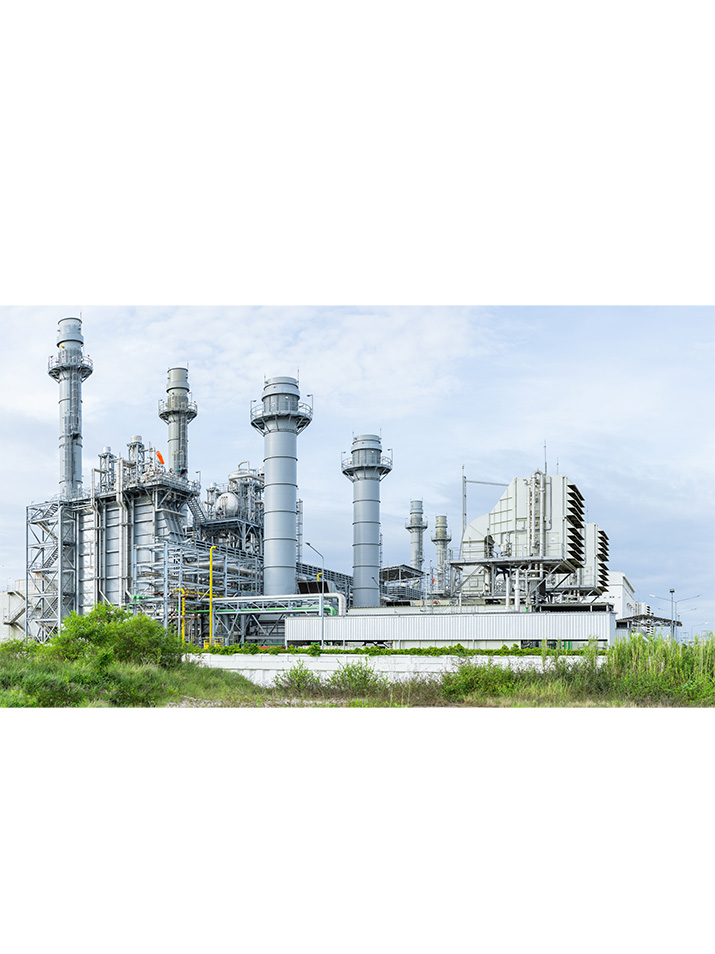
외곽 경계 야간 관제 펜스 라인
산업용 로봇과 CCTV가 설치된 공장 생산 라인

공장 · 산업 현장

페인트, 절단기, 위험구역 감시를 위해 영상과 안전 센서를 함께 활용하여 위험 설비 주변 사람 접근을 감지합니다.

안전 관리 위험구역 사고 로그
유리 로비와 보안 시스템이 있는 현대식 빌딩

건물 · 캠퍼스

로비, 주차장, 옥상, 출입게이트를 모니터링하고 사람 출입/체류 패턴을 분석하여 보안을 강화합니다.

로비 관리 주차장 관제 출입 게이트
도입 상담

AiSentry Edge를 귀사의 현장에 설치해 보세요

사용 중인 카메라 수, 센서 종류, 현장 환경을 간단히 알려주시면 귀사 환경에 맞는 Edge 구성을 제안드리고, 현장 테스트 일정을 함께 조율해 드립니다.

Edge AI Video Analytics

Real-Time AiSentry EDGE
Integrating High-Performance Sensors

Powered by ECOS ITS, it performs real-time optical analysis, AI inference, and sensor fusion at the closest point to the site.
To analyze many cameras on one server, use the Central AI Video Analytics Server (ECOS VAS).

AiSentry Edge Intelligent Terminal Server - On-Site Intelligent Edge Terminal Hardware

Intelligent Edge for Cameras & Sensors

  • ✓
    ROI-based Detection — Set polygonal areas per camera and perform detection, alerts, and recording
  • ✓
    Supports multi-zone in same screen function applying different policies per zone.
  • ✓
    Instant Optical Event Detection — Glare (reflection), blackout, damage/occlusion, sudden brightness changes
  • ✓
    Local Buffering in Unstable Networks — Secure recording without missing important footage
AiSentry Edge

Intelligent Edge Terminal Analyzing On-Site

AiSentry Edge is installed right next to the camera or in the on-site electrical/security box to perform real-time AI analysis of 1~4 CCTV channels and sensor input processing. It compensates for NVR shortcomings and serves as "on-site filtering intelligence".

AiSentry EDGE · On-Site Node

Intelligent Edge for Cameras & Sensors

Runs on Raspberry Pi, industrial SBC, ITS, performing real-time optical analysis, AI inference, sensor fusion at the closest point to the site.

  • ✓
    Integrates analysis of high-dimensional sensors optimized with Edge.
  • ✓
    Supports multi-zone in same screen function applying different policies per zone.
  • ✓
    Integrates with various platforms using self-developed API3.0.
  • ✓
    Buffers locally during network failures to minimize event loss.
Local Storage & Processing

Safe Even During Network Failures

Edge can operate independently and stores data locally during network failures, automatically retransmitting after recovery.

  • ✓
    Event Queue: Stores person/vehicle detection JSON, Optical metrics values, sensor trigger logs
  • ✓
    Snapshot Images: 1fps monitoring images, captures at event occurrence, camera anomaly images
  • ✓
    System Logs: CPU temperature/usage, camera connection status, sensor input status, upload records
  • ✓
    Storage Policy: Event JSON deleted immediately after transmission, snapshots kept 1~3 days, logs kept 7 days
Key Features

Core Features of Edge

AiSentry Edge performs AI + Optical + Sensor fusion analysis on-site to provide zone-based security analysis and low-cost·high-accuracy on-site preprocessing.

🎯

Zone/ROI-based Precise Monitoring

Set polygonal ROI per camera for zone-level precise monitoring. Supports model routing applying different AI models·policies per zone.

🔍

Optical Metrics Engine

Detects brightness/contrast changes, IR on/off detection, Blur/shake detection, pHash64-based frame change amount, Freeze/Stuck Frame detection to physically detect scene changes that AI might miss.

🛡️

False Alarm Filtering

After inferring with AI model trained for that specific camera, filter false alarms to select only meaningful events. Reduces false alarms by viewing sensor events and video events together, increasing accuracy.

💾

Network Failure Response

Buffers locally during network failures to minimize event loss. Supports Hybrid Auto-Failover mode that automatically retransmits missing data after recovery.

⚙️

Edge UI Features

Manage via web interface: IP address setting, time synchronization, camera add/delete, sensor mapping settings, Zone editing, AI model selection, schedule settings, Edge status check, etc.

🔄

Operating Modes

Supports various operating modes: Edge standalone monitoring mode, IMS-linked central monitoring mode, Hybrid Auto-Failover, etc.

Hardware Configuration

Edge Hardware Specifications

Runs on industrial SBC, ITS, can be installed in various forms suitable for on-site environments.

Basic Specifications

Standard Hardware Profile

Runs on ARM Cortex-A53/A72 or x86-64 based systems, uses Ubuntu/Debian/ITS based OS.

  • ✓
    OS: Ubuntu / Debian / ITS based OS
  • ✓
    Network: Ethernet 1G + WiFi/4G optional
  • ✓
    Power: PoE or AC adapter support
  • ✓
    Temperature Range: Supports industrial temperature range
Installation Forms

On-Site Installation Locations

Edge is installed at the closest point to the site to collect data directly from cameras and sensors.

  • ✓
    Next to Camera: Install in wall box or security box
  • ✓
    Inside Electrical Box: Install as equipment inside control panel (electrical box)
  • ✓
    Next to NVR: Install in rack or wall, link with NVR
  • ✓
    Outer Fence: Install in pipe box for outer perimeter monitoring
Processing Pipeline

Edge AI Processing Flow

Edge processes the entire pipeline from CCTV input to IMS transmission, transmitting only meaningful events to reduce network load.

After frame extraction (1~5fps), perform Zone/ROI analysis to focus on areas of interest. Different AI models and policies can be applied per zone.

Infer with AI model trained specifically for that camera, detect people/vehicles, then filter false alarms. Increase accuracy by viewing sensor events and video events together.

Optical Metrics Engine detects brightness/contrast changes, Blur/shake, pHash64-based frame change amount, Freeze/Stuck Frame to physically detect scene changes that AI might miss.

Finally, generate Detection Event(JSON) and transmit to IMS. Transmit only refined events, not raw footage, to minimize network load.

Input CCTV (RTSP/JPEG)
⮕
Step 1 Frame Extraction (1~5fps)
⮕
Step 2 Zone/ROI Analysis
⮕
Step 3 AI Model Inference Trained for That Camera
⮕
Step 4 False Alarm Filtering
⮕
Step 5 Optical Metrics Engine
⮕
Step 6 Sensor Event Integration
⮕
Output Detection Event (JSON)
Use Cases

Locations Where Edge is Installed

AiSentry Edge is installed right next to the camera or in the on-site electrical/security box to perform real-time analysis at the closest point to the site.

CCTV monitoring port with containers and cranes

Ports · Logistics Centers

For access control, equipment access detection, outer perimeter monitoring, utilize cameras and microwave sensors together.

Outer Perimeter Night Monitoring Fence Line
Industrial production line with robots and CCTV

Factories · Industrial Sites

For paint, cutting machine, danger zone monitoring, utilize video and safety sensors together to detect people approaching dangerous equipment.

Safety Management Danger Zones Incident Logs
Modern building with glass lobby and security system

Buildings · Campuses

Monitor lobbies, parking lots, rooftops, entrance gates, analyze people entry/exit patterns to enhance security.

Lobby Management Parking Monitoring Entrance Gates
Consultation

Install AiSentry Edge at Your Site

Tell us the number of cameras you are using, sensor types, on-site environment, and we will propose an Edge configuration suitable for your environment and coordinate a on-site test schedule.